
Create an estimate
Price a piece of work for a client before you schedule it.
Updated
On this page
Before you start
An estimate is written for a client, so the client must exist first. See Add a client.
You also need permission to manage estimates. If you do not see the New Estimate button, ask the owner of your Clevra account.
Start the estimate
- Open Estimates.
- Select New Estimate.
- Under Estimate Details, enter an Estimate Title and choose the Client. Both are required.
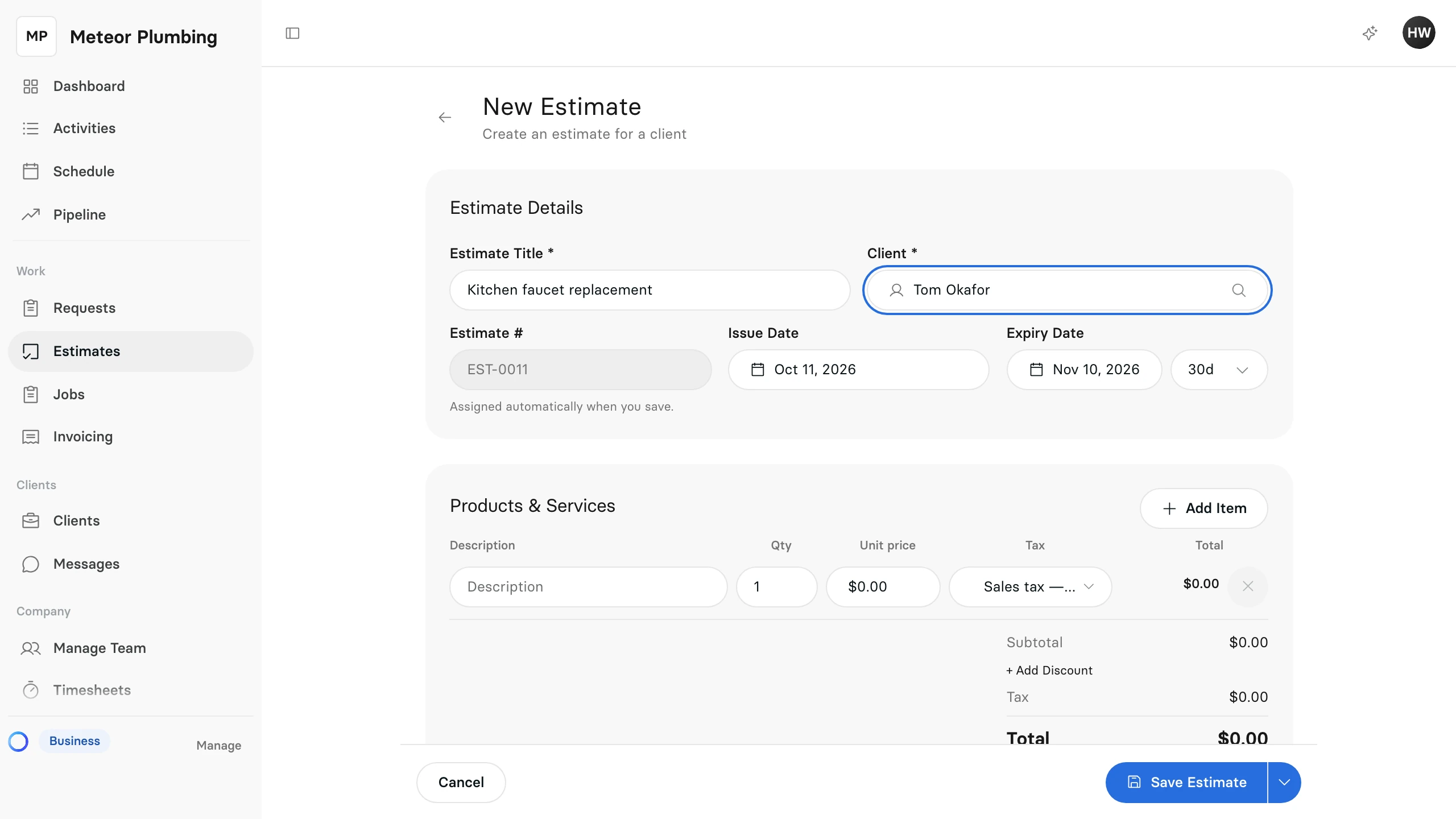
The Estimate # is assigned when you save, and the Issue Date starts at today.
Add what you are pricing
Under Products & Services, give each line a Description and a Qty. Select Add Item for another line.
To price a line, select its price. Enter the Unit cost and, if you add a margin, the Markup (%); Clevra works out the price. Your client never sees the cost or the markup.
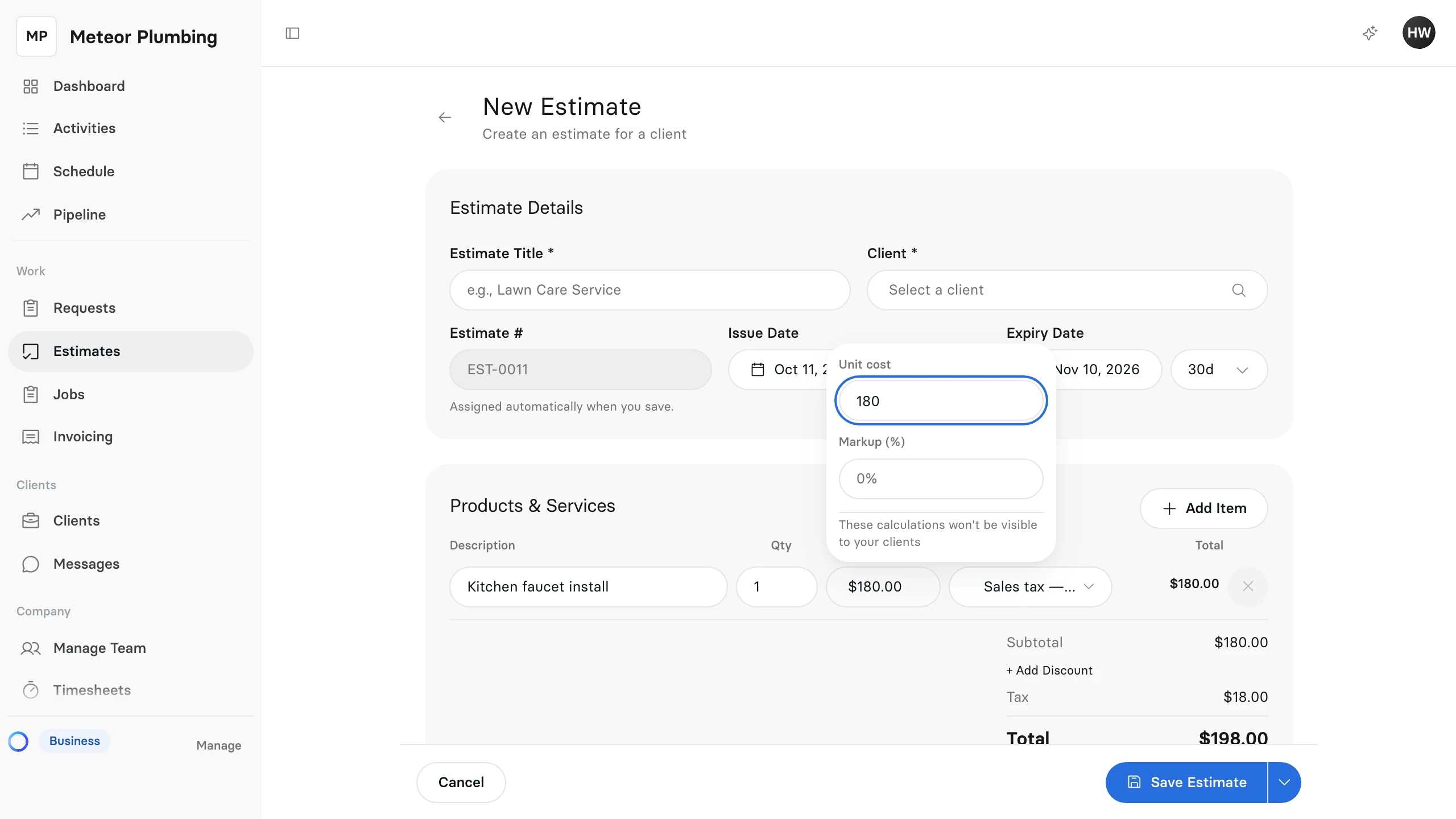
The Subtotal, Tax and Total below the lines update as you go.
Set how long it stays open
Next to Expiry Date, choose how many days the estimate stays open, or pick the date itself.
Save it
Select Save Estimate. To send it to the client straight away, open the arrow next to it and select Save & Send.