
Record a payment
Mark an invoice paid, in full or in part, when your client pays you by cash, check, card or bank transfer.
Updated
On this page
Before you start
You record a payment against an invoice you have sent. A draft has to be sent first; see Create and send an invoice.
You also need permission to collect payments. If you do not see Record Payment on a sent invoice, ask the owner of your Clevra account. A technician can record payments only on invoices for the jobs they are assigned to.
Open the invoice
- Open Invoicing.
- Find the invoice. Search by the client's name or the invoice number, or narrow the list by status.
- Select the invoice to open it.
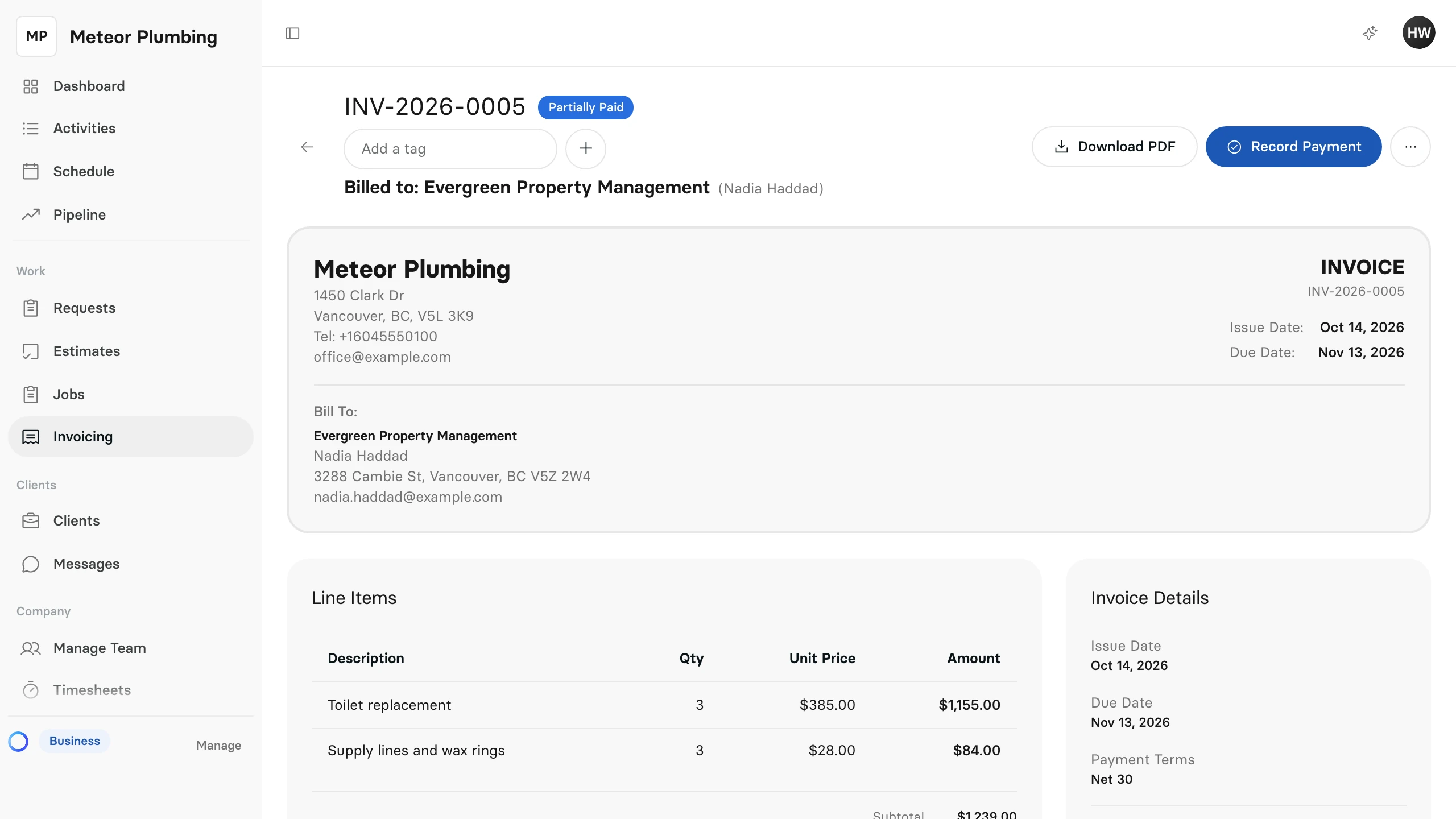
- Select Record Payment.
Record Payment is there while the invoice is Sent, Viewed, Partially Paid or Overdue.
Enter the payment
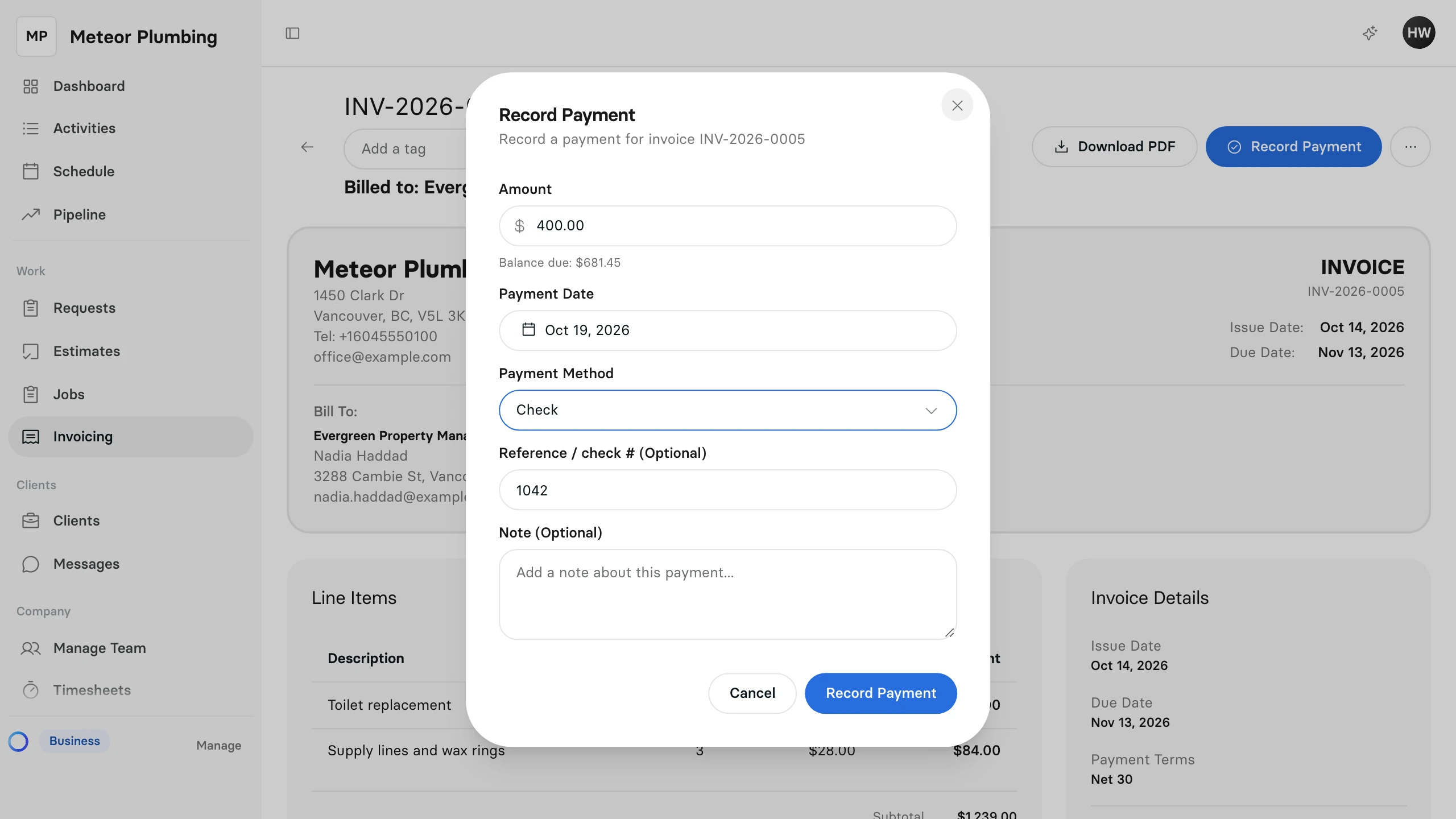
- Enter the Amount you received. The Balance due under it is what the client still owes; enter less for a part payment.
- Change the Payment Date if the money came in on another day. It starts at today.
- Choose the Payment Method: Cash, Card, Bank Transfer or Check.
- Add the check number or transfer reference in Reference / check # (Optional).
- Add a Note (Optional) if your team should know anything else.
- Select Record Payment.
Clevra will not record more than the invoice owes. If the amount is higher than the balance, it says This payment exceeds the balance. Select Use balance amount to record what is owed instead.
See what changed
The payment comes off the invoice straight away:
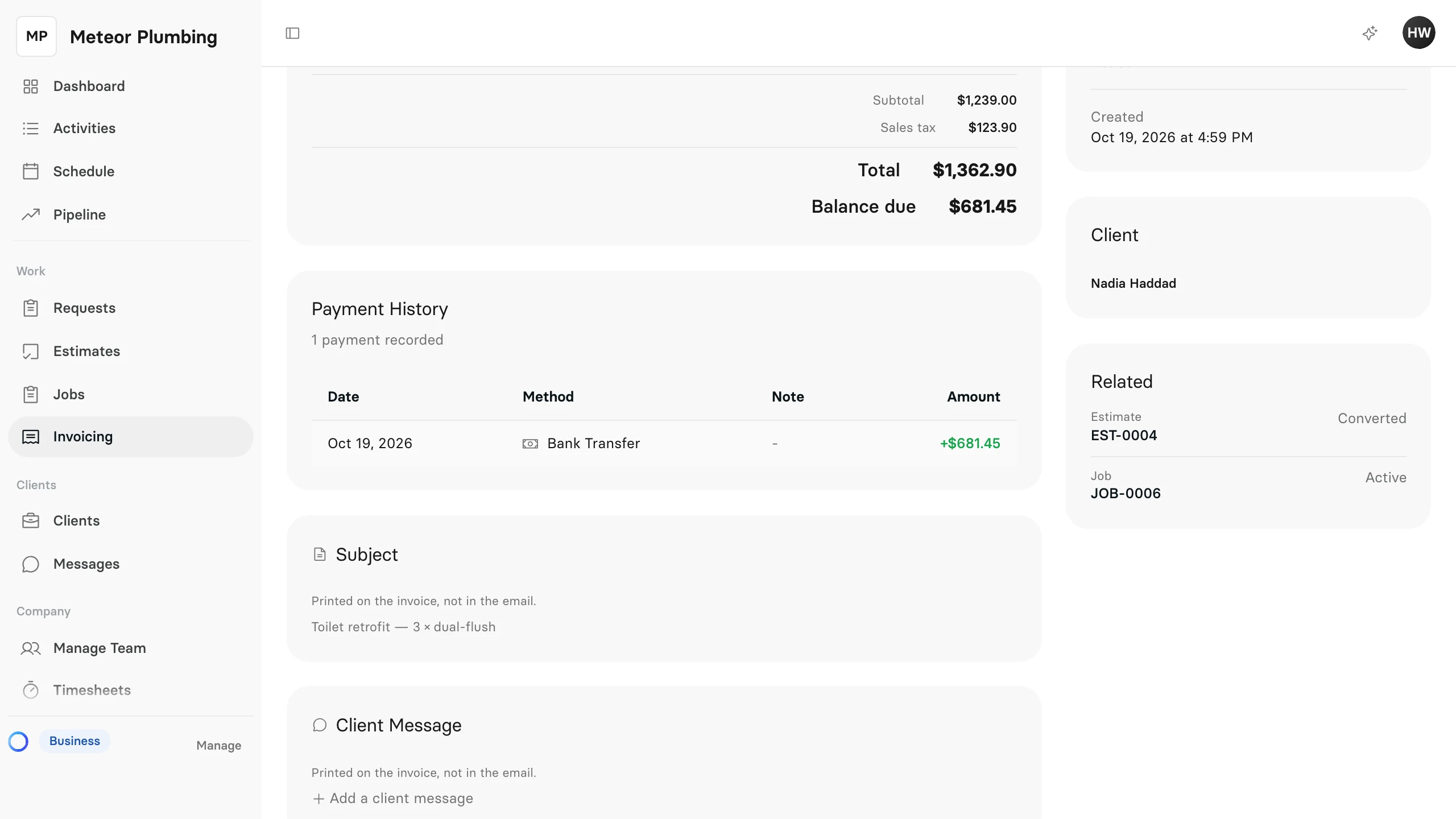
- Balance due drops by the amount you recorded.
- Payment History lists the payment with its date, method, note and amount.
- The status becomes Partially Paid while some is still owed, and Paid once nothing is.
For a client who pays in instalments, record each payment as it arrives. The last one brings the invoice to Paid.