
See who owes you money
Find overdue invoices with the Aged receivables report, and each client's unpaid balance with the Client balance summary.
Updated
On this page
Before you start
Both reports are under Insights. To learn who can open Insights, and on which plans, see Run a report.
An invoice counts as owed from the moment it is sent until it is paid in full. Drafts are never counted.
Find overdue invoices
- Open Insights.
- Under Financial reports, select Aged receivables.
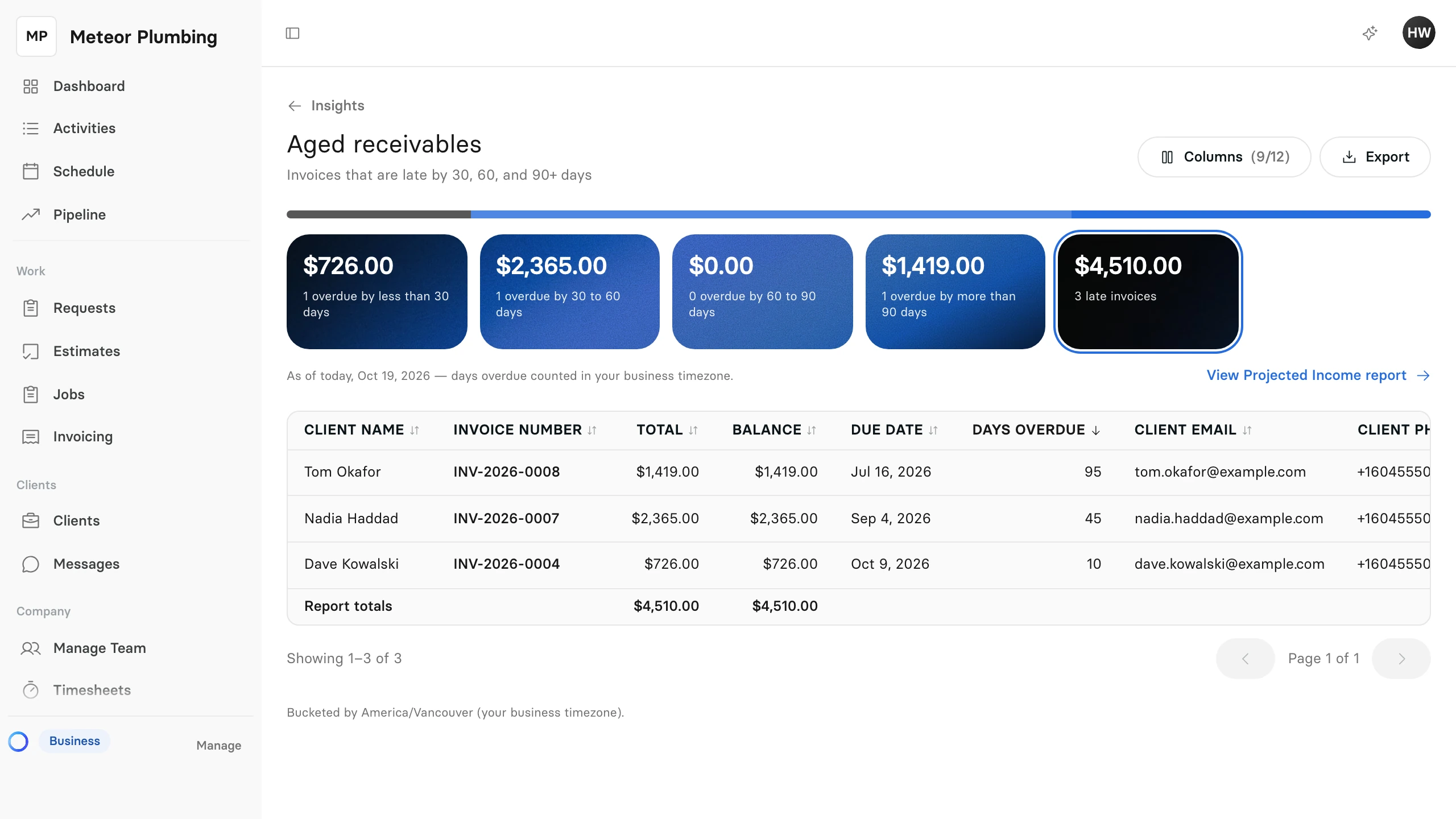
The report lists every invoice whose due date has passed and that is not yet paid in full, as of today. It has no dates to set.
The cards group the late invoices by how long they have been overdue:
| Card | Days past the due date |
|---|---|
| overdue by less than 30 days | 1 to 29 |
| overdue by 30 to 60 days | 30 to 60 |
| overdue by 60 to 90 days | 61 to 90 |
| overdue by more than 90 days | 91 or more |
The last card, late invoices, adds them all up. Every amount is the Balance: what is still owed on the invoice after any payments, not its full total.
Select a card to list only the invoices in it.
Follow up on a late invoice
The table starts with the invoice that has been overdue longest, and shows the client's email and phone number on its row.
- Find the invoice in the table.
- Select Open on its row to go to the invoice.
When the client pays, record the payment on the invoice. Once it is paid in full, it leaves the report.
See each client's balance
- Open Insights.
- Under Financial reports, select Client balance summary.
- Under Range, choose which invoices to count, by the date they were issued. The report starts on This year; choose All time to see every balance still open, however old.
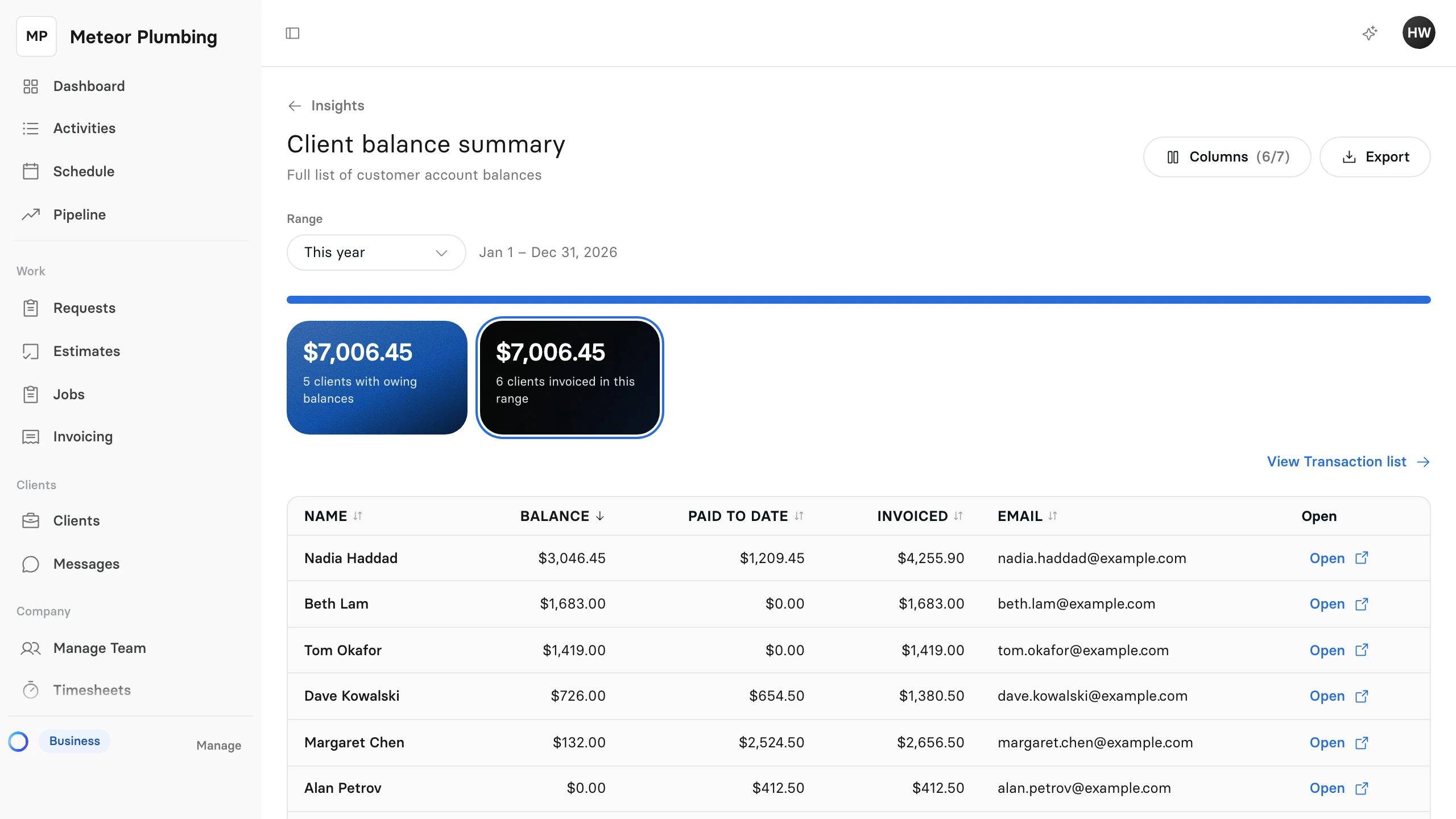
Each client invoiced in the range has one row:
| Column | What it shows |
|---|---|
| Invoiced | The total of the client's invoices issued in the range |
| Paid to date | What the client has paid on those invoices, whenever they paid it |
| Balance | What the client still owes on them |
Voided invoices, and invoices written off as bad debt, are not counted.
Select the clients with owing balances card to list only the clients who owe you, then select Open on a row to go to that client.