
Ask the AI Business Assistant
Ask about your jobs, estimates, invoices and revenue in plain words, and get answers from your own Clevra data.
Updated
On this page
Before you start
The AI Business Assistant comes with the Pro and Business plans, and with the free trial. On the Free plan, asking a question opens an offer to upgrade instead.
Every role can use it except Technician (limited access). It answers from what your role can see: a technician gets answers about their own work, and questions about money, such as who owes you, need a role that can open the reports under Insights.
The assistant only reads. It cannot send messages, change a record or take a payment. Do those in Clevra itself.
Open the assistant
- Select Open AI Assistant, the sparkle button at the top right of any page.
- The assistant opens on the right of the page, under Clevra and AI Business Assistant.
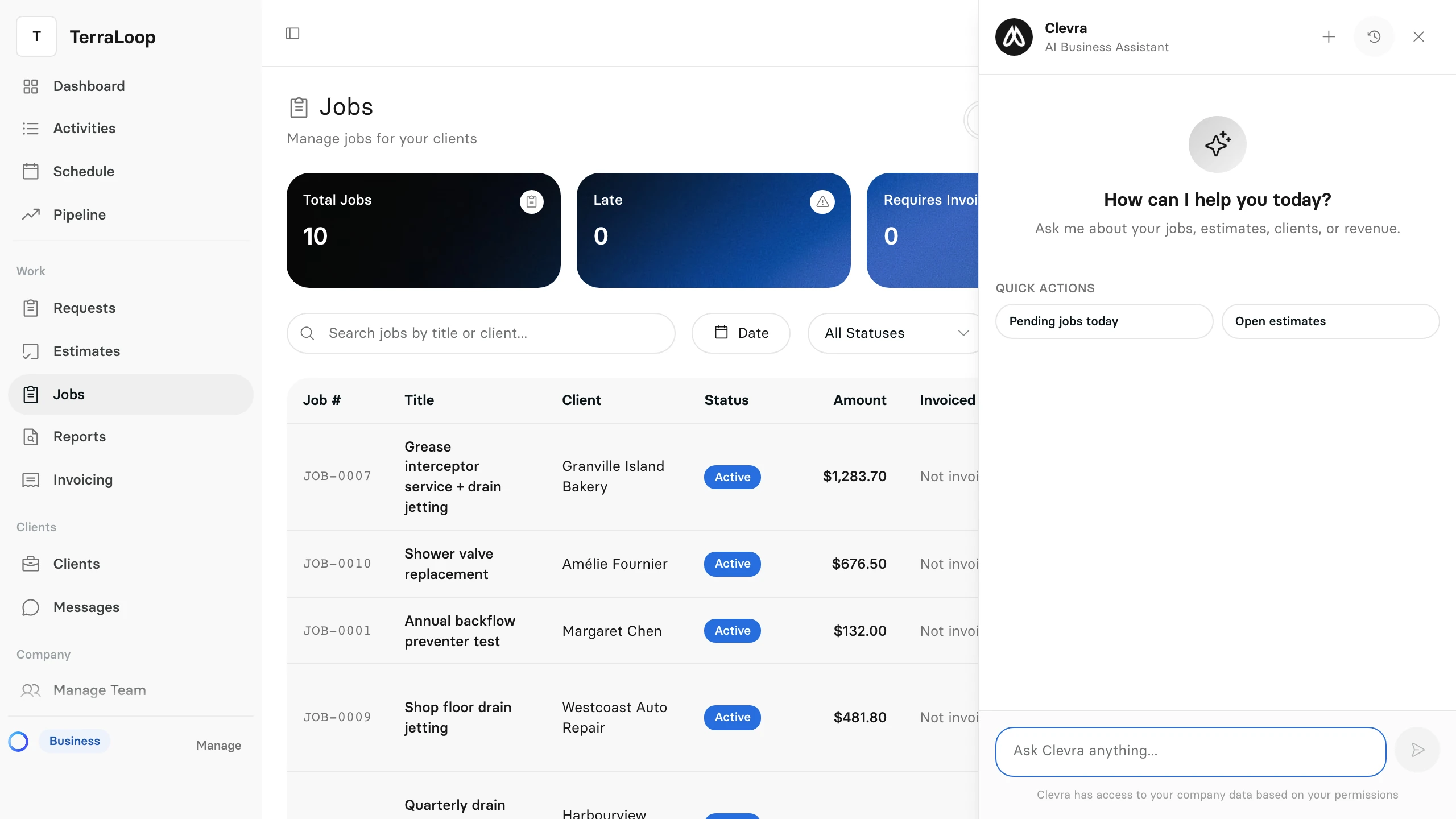
Select the cross at the top of the panel to close it. The page behind it stays as it was.
Ask a question
- Type your question in Ask Clevra anything.... Write it the way you would ask a person: "Who owes me money, and how late is it?" or "What did the Harbourview Dental Clinic job make?"
- Press Enter, or select the send button. Press Shift and Enter together to start a new line instead.
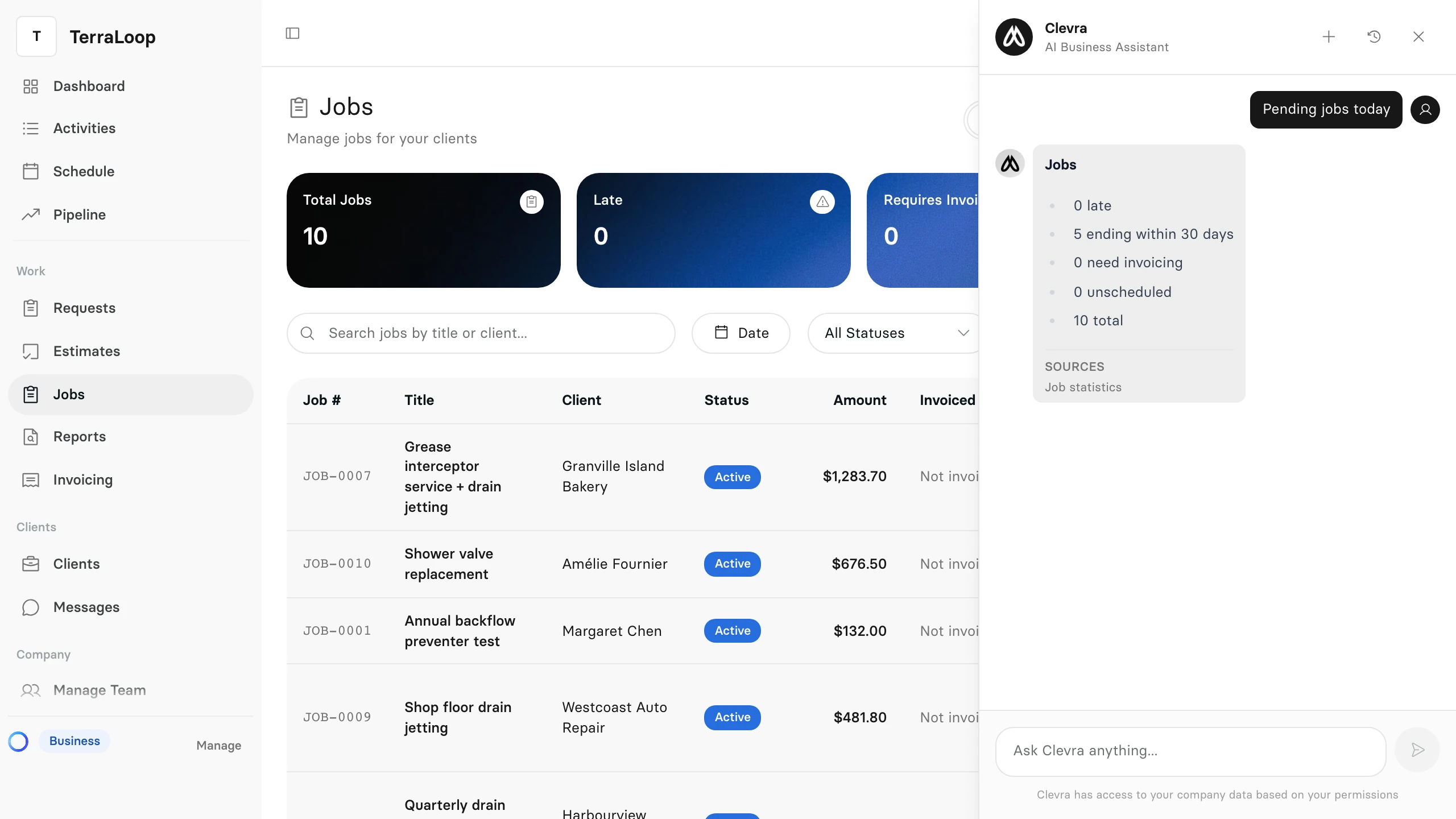
The answer appears in the panel. When it uses figures from your account, Sources under the answer lists the records and lookups they came from.
Use a quick action
A new chat offers Quick Actions for the questions people ask most:
- Pending jobs today counts your jobs that are late, end within 30 days, need invoicing or are unscheduled.
- Open estimates lists the estimates still waiting for an answer, with their status and total.
Select one, and the answer comes straight from your account.
Find a past chat
- Select Conversation history, the clock button at the top of the panel.
- Select a chat under History to open it again, or the bin beside it to delete it.
- Select New chat, the plus button, to start again with an empty chat.
Quick actions are not kept in History. Only the questions you type are.
How much you can ask
Each plan includes a number of questions a month for your whole company: 500 on Pro and 2,000 on Business. A quick action counts as one question. Once the company reaches its limit, the assistant says so, and it is back at the start of the next month.