
Get your sales tax totals
Use the Taxation report to see the tax you billed or collected in a period, split by tax rate, ready for your tax return.
Updated
On this page
Before you start
The Taxation report is under Insights. To learn who can open Insights, and on which plans, see Run a report.
The report reads the tax on each line of your invoices, so it is only as right as the tax you put on them.
Open the Taxation report
- Open Insights.
- Under Financial reports, select Taxation.
- Under Range, choose the period you are filing for. The report starts on Last month; choose Custom range for a quarter or any other period.
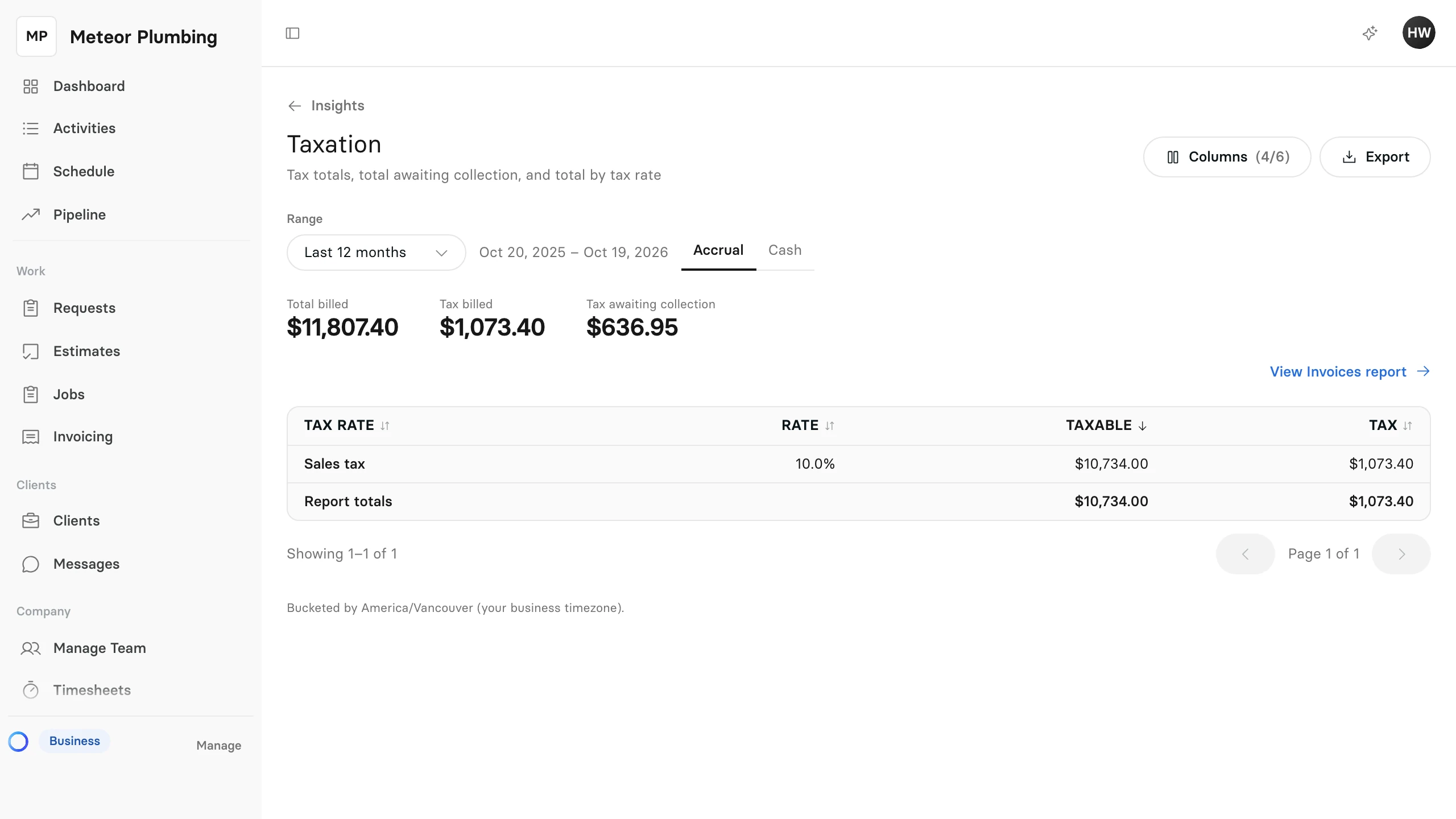
Choose Accrual or Cash
Ask your accountant which one your tax return uses, then select it beside the dates.
| Accrual | Cash | |
|---|---|---|
| Counts | Invoices issued in the range, paid or not | Payments received in the range |
| Totals at the top | Total billed, Tax billed and Tax awaiting collection | Total collected and Tax collected |
Accrual is where the report starts. It leaves out drafts and voided invoices. Tax awaiting collection is the part of the tax billed that your clients have not paid yet.
Cash counts each payment by the date it was received. A payment for half an invoice counts half of that invoice's tax.
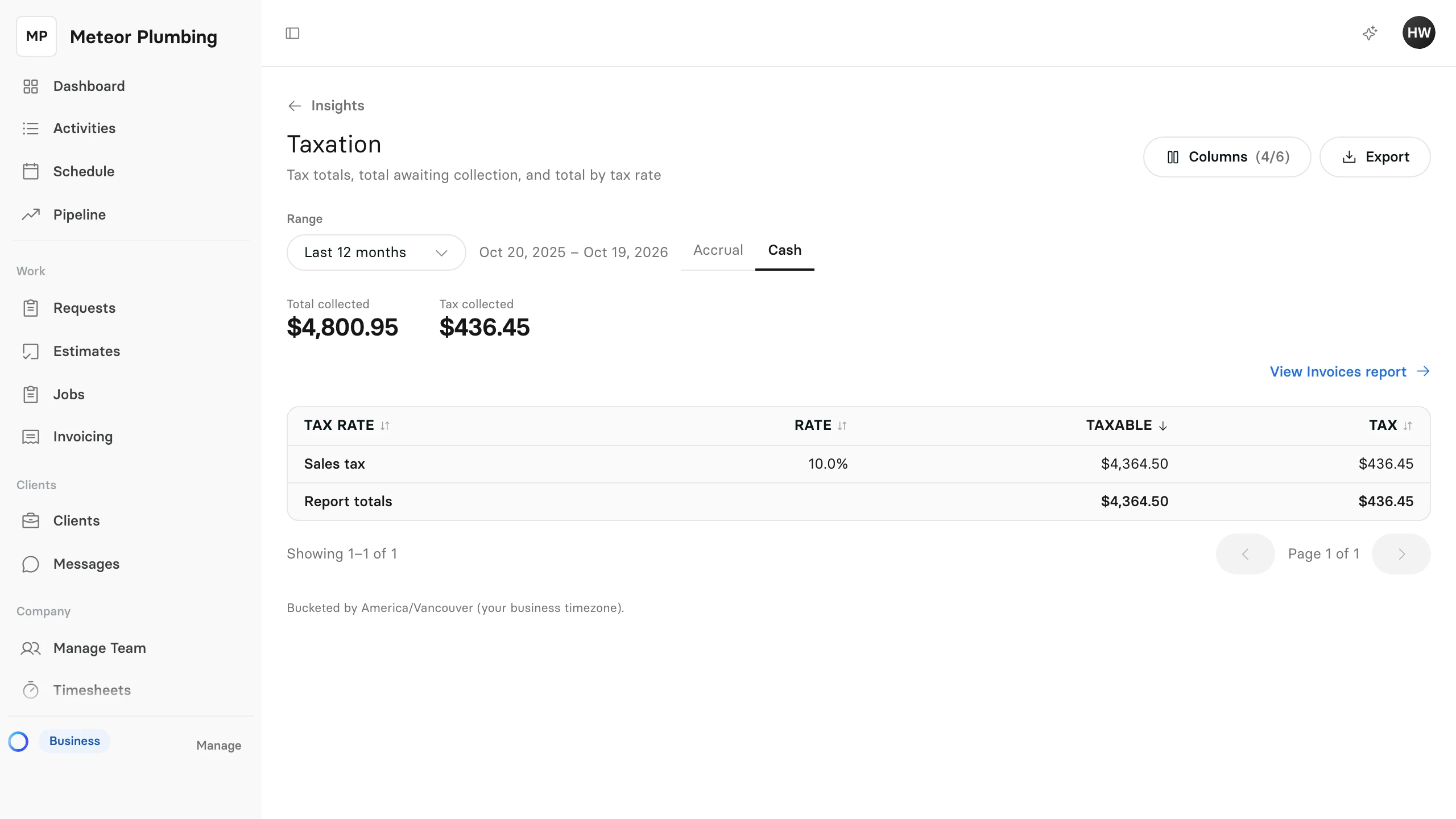
Read the totals by tax rate
The table has one row for each tax rate on your invoices:
| Column | What it shows |
|---|---|
| Tax rate | The name of the rate |
| Rate | Its percentage |
| Taxable | The amount the rate was charged on |
| Tax | The tax charged at that rate |
Lines that carry no tax are totalled on a Non-taxable row. Each invoice keeps the rate it was sent with, so changing a rate later does not change a period you have already filed.
In Accrual, an invoice written off as bad debt leaves the Taxable and Tax columns. Show Bad debt taxable and Bad debt tax under Columns to see it; when there is any, a Bad debt (taxable + tax) total also appears at the top.