
See what a job makes
Log your crew's hours and what you buy for a job, and see its profit and margin before you send the invoice.
Updated
On this page
Before you start
Job costing comes with every plan, Free included.
Only an Org Admin or a Manager sees a job's costs, profit and margin. Other roles see the job without them.
Labor is costed at what each person costs you an hour, so set that first:
- Open Manage Team and select the person.
- Enter what they cost you an hour in Labour cost.
- Select Save My Profile.
Read the job's figures
- Open Jobs and select the job.
- Look at Financials, at the top of the right-hand column.
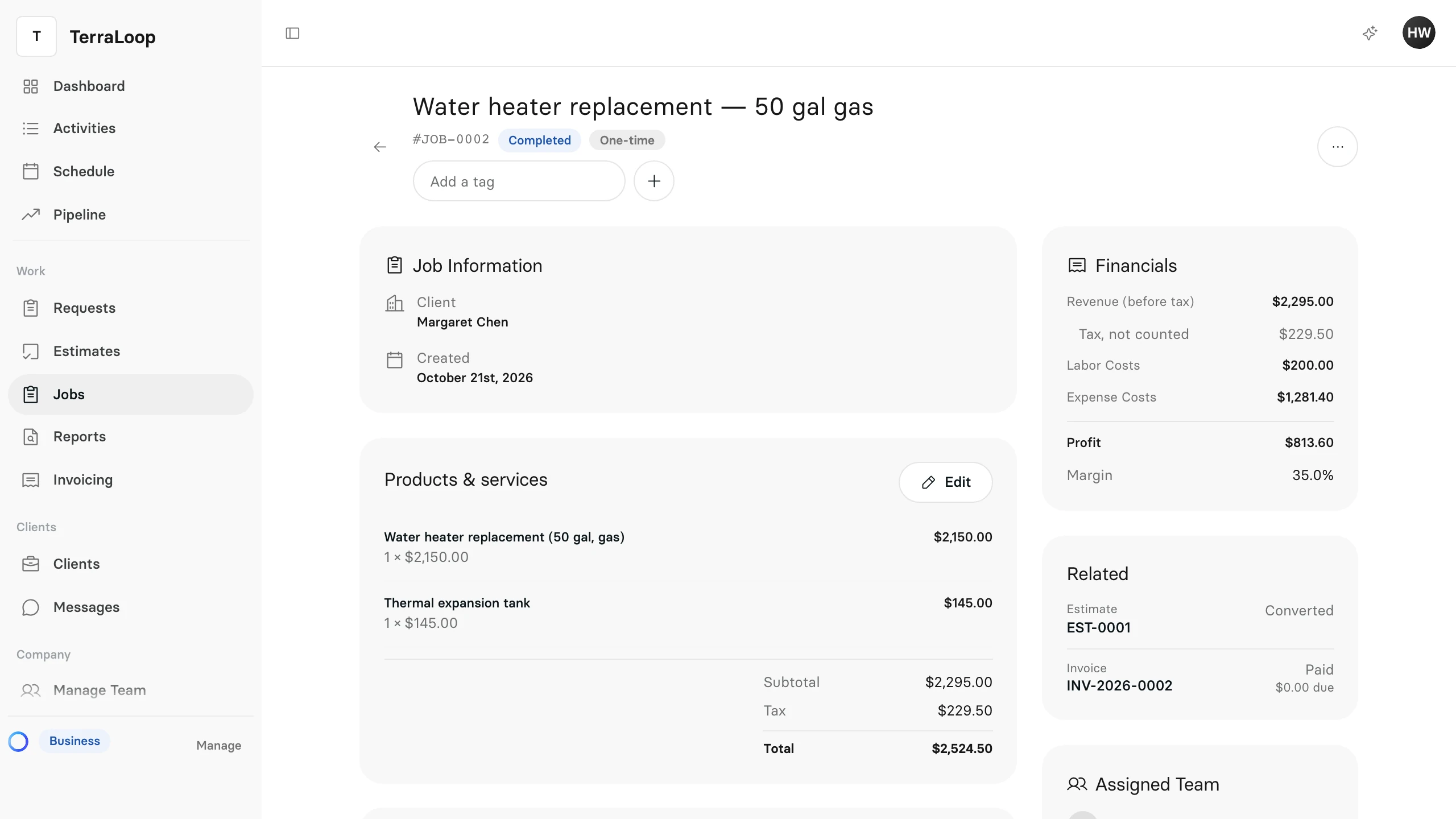
- Revenue (before tax) is the job's line items, less any discount. The tax shows under it as Tax, not counted: it is owed to the tax office, not earned.
- Labor Costs is the hours logged on the job (breaks left out), each at the cost an hour of the person who worked them.
- Expense Costs is everything recorded under Expenditures.
- Profit is the revenue less the job's costs. A line item that has a unit cost counts that cost too.
- Margin is the profit as a share of the revenue.
Profit and margin change straight away when you save an expense or some time, or change the job's line items.
Add an expense
Record parts, materials, a subcontractor or anything else you pay for the job.
- On the job, under Expenditures, select Add Expense.
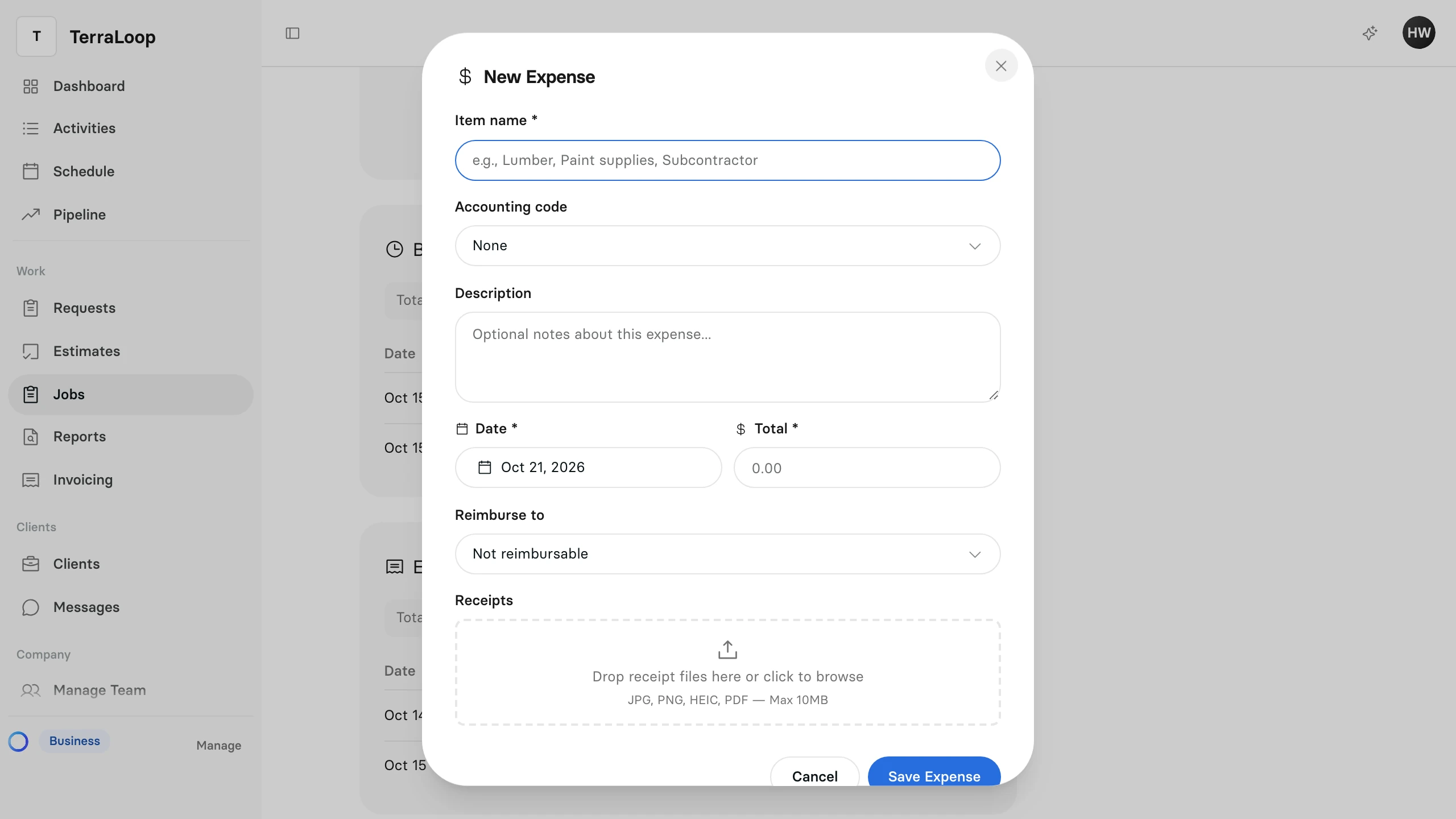
- Enter the Item name, the Date and the Total. Add a Description or an Accounting code if your bookkeeper wants one.
- If someone on your team paid for it and should be paid back, choose them under Reimburse to. Otherwise leave Not reimbursable.
- Attach the Receipts if you have them.
- Select Save Expense.
The expense joins the list under Expenditures, and its total goes into Expense Costs.
Log hours on the job
Each person logs their own time. Hours are what the job costs you in labor — the client is billed from the job's services, never from hours. Under Time & Labor on the job:
- Select Start Timer when you start work and Stop Timer when you finish.
- Or select Add Time Entry for time already worked. Set the Date and the Start time and End time, or the Hours and Minutes, link the Visit if you like, and select Save Time Entry.
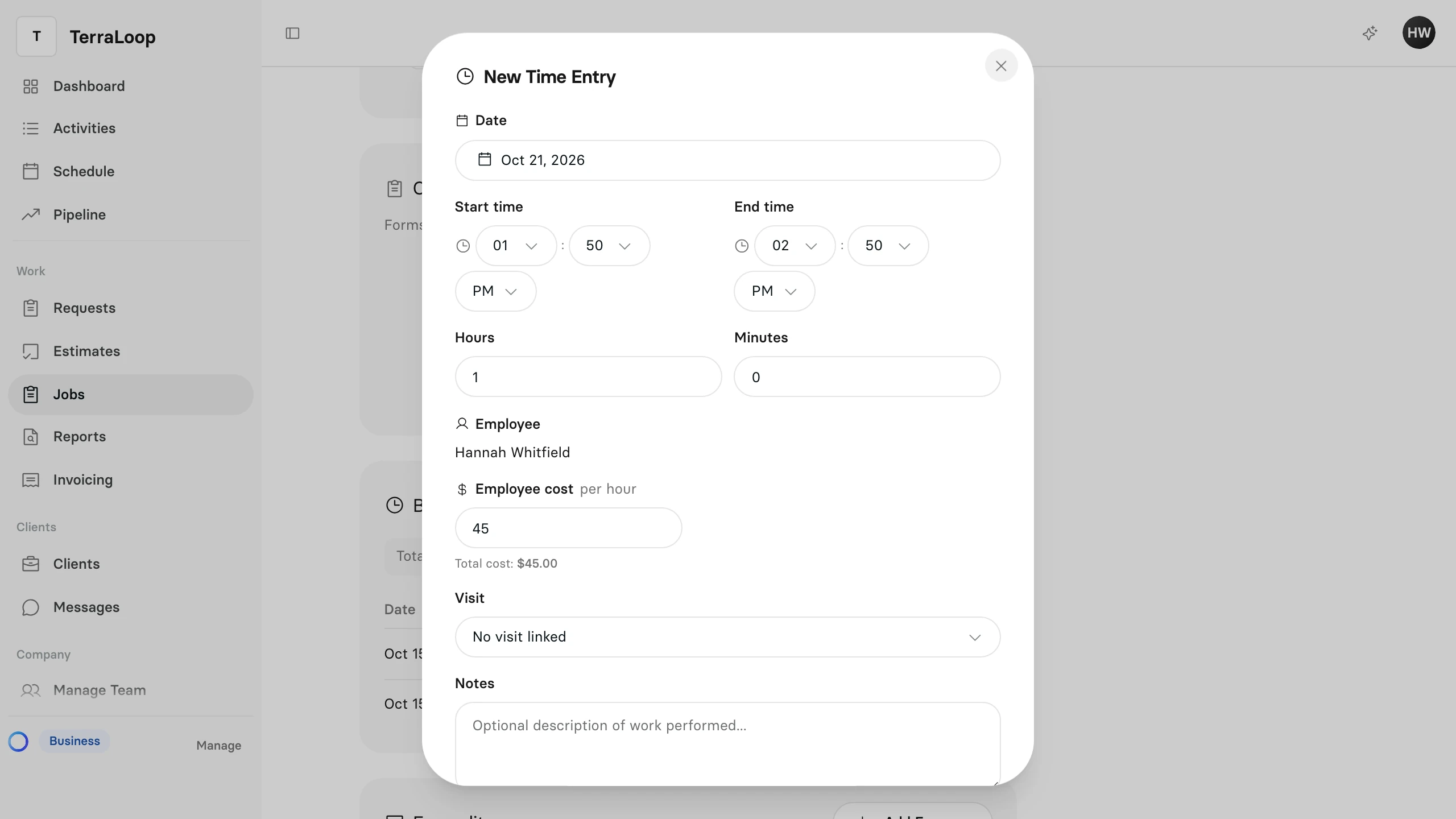
Employee cost starts at the person's labour cost. Change it on an entry only when that time cost you something different.
Time counts once it is finished: a running timer adds to Labor Costs when it stops. Breaks and voided entries don't count. The Labor cost at the top of the section is the same figure as Labor Costs.